

共计 2111 个字符,预计需要花费 6 分钟才能阅读完成。
原创文章,转载请注明: 转载自cnorg.12hp.de
注意:由于网站空间位于国外,建议避开晚上的访问高峰期,以免因访问缓慢而影响你的使用体验。
若下载链接为空,是由于国外空间速度缓慢,引发缓存问题所致。请私信本站反馈!
Edge 已宣布 2023 年 1 月结束对 Win7/8.1 的支持(微软公告 、 谷歌公告),最后一个版本是 109,目前自 Edge 和 Chrome 的 108 Stable 版本始都推送了 Win7/8.1 EOL 通知。一个时代要落幕了。
我在此更新 Edge 各通道 109 最后的版本,直到 2 月 7 日当周 Stable 推送了 110 为止。直到 2023 年 10 月微软停止支持 Edge 109 为止(微软 公告 及知识库 更新了 Edge 109 的生命周期,延期了 9 个月:
微软公告:
Update: This article was updated on January 17, 2023, to reflect revised support statements for Windows Server 2012 and Windows Server 2012 R2.
Support on Windows Server 2012 and Windows Server 2012 R2
Microsoft Edge version 109 will be the last supported version on Windows Server 2012 and Windows Server 2012 R2 (version 110 and later will be unavailable). Version 109 will receive critical security fixes and fixes for known exploit bugs until October 10, 2023. WebView2 Runtime version 109 will be supported in the same way.
Additionally, Internet Explorer 11 remains supported on those operating systems for as long as they are in support.
微软知识库:
Windows Server 2012 and Windows Server 2012 R2
Microsoft Edge version 109 will be the last version supported on Windows Server 2012 and Windows 2012 R2. Microsoft Edge version 109 will receive critical security fixes and fixes for known exploit bugs until October 10, 2023, on these platforms.
看来 Edge Stable 109 最后一个安全更新要在 2023 年 10 月 10 日发布了,意味着我这个帖子还要更新 9 个月 Orz 汗)。
Microsoft Edge
Edge Dev 版本已经推送了 110 版了,不再支持 Win7/8.1,我用互联网档案馆找到了最后一个 Dev 的 109 版本,具体版本号是 Edge Dev 109.0.1518.8。Microsoft Update Catalog 显示 Dev 最后一个版本是 109.0.1518.12(感谢吧友 qw 的提醒),Microsoft Update Catalog 提供的是 cab 包,但解压后是 msi,效果一样。
下载链接如下:
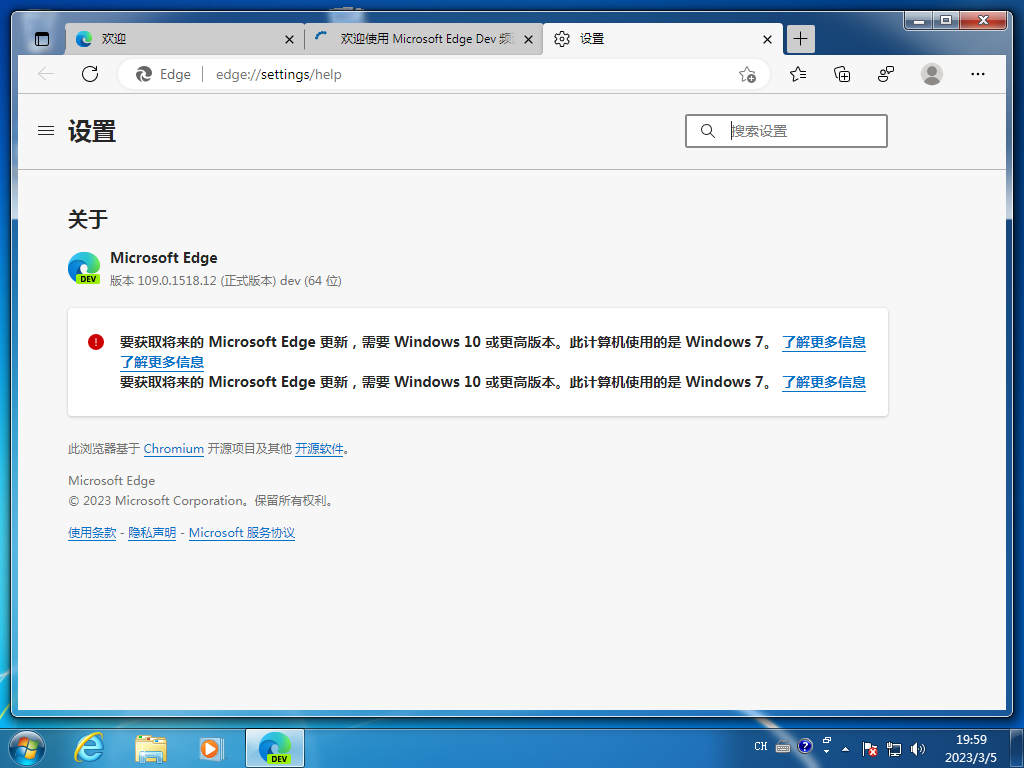
Dev 通道最终版本:109.0.1518.12 [2022-12-06]
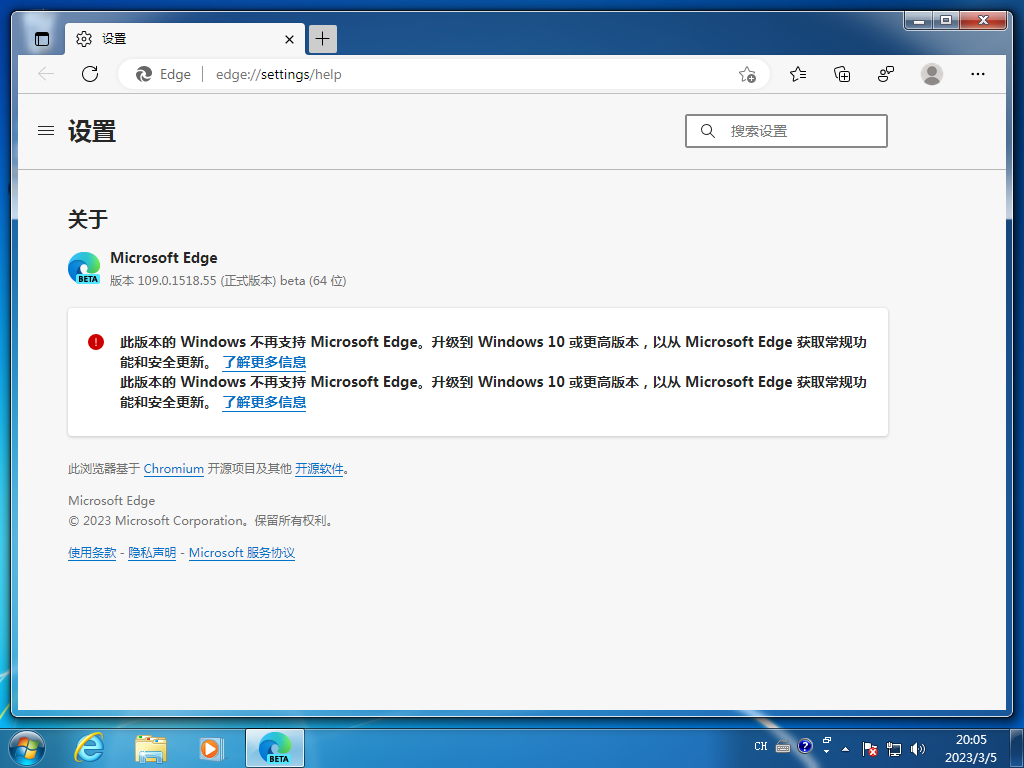
Beta 通道最终版本:109.0.1518.55 [2023-01-17](2023 年 1 月 21 日 Beta 通道推送了 110.0.1587.17 版本了,故 109.0.1518.55 是 Beta 通道最后的 109 版本)
Microsoft WebView2 Runtime: 当前是 109.0.1518.115 [2023-06-13]
Microsoft WebView2 Runtime 109 自 Srv2012/2012 R2 的延长支持开始似乎没有继续发布可以直接双击安装的 Evergreen Standalone Installer 离线包了,只是在 Microsoft Update Catalog 上发布了给 WSUS 使用的升级包,无法直接双击安装。最后一个可以直接双击安装的 Evergreen Standalone Installer 离线包是 109.0.1518.78 的。
如果需要直接离线安装 Microsoft WebView2 Runtime 109.0.1518.115,那就先下载 Microsoft WebView2 Runtime 109.0.1518.115 Update for WSUS,然后用 7zip,打开它,提取 MicrosoftEdge_X64_109.0.1518.115.exe.{一长串英文数字},去掉后面大括号的内容,把后缀改成 exe,然后再在命令行中运行 MicrosoftEdge_X64_109.0.1518.115.exe --msedgewebview --system-level 即可安装。
在 Edge 浏览器中去除不受支持的操作系统警告消息
修改注册表:
Edge:
Windows Registry Editor Version 5.00
[HKEY_CURRENT_USER\Software\Policies\Microsoft\Edge]
"SuppressUnsupportedOSWarning"=dword:00000001
下载地址: